Downloading a Data Product
| |
|
Downloading a Data Product |
Previous Next |
|
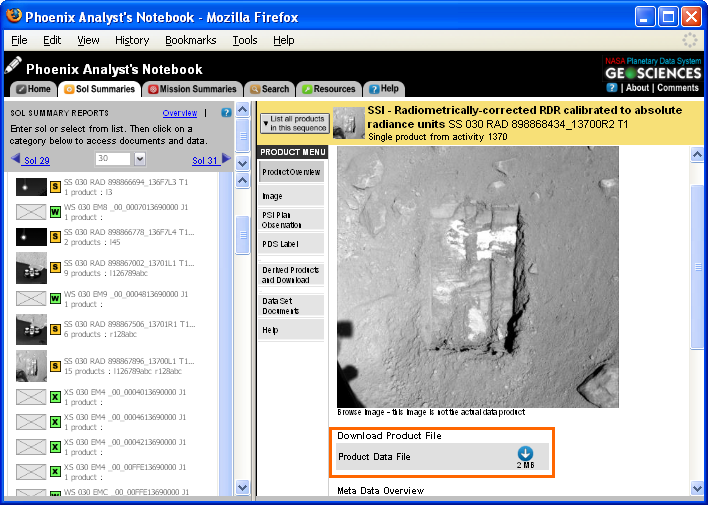
To Download an individual data product click on the blue download icon on the product's overview page.
Navigating to the Product Overview
You can navigate to the product overview page at any time by clicking on the "Sol Summaries" tab, and then clicking on an individual product under the "Products" menu. From any sequence view page, click on an individual product in the "Sequence Overview" frame to see the "Product Overview" for that product. From the data product search, click on an individual data product in the search results to view the "Product Overview".
|