Downloading Product Sequences
| |
|
Downloading Product Sequences |
Previous Next |
|
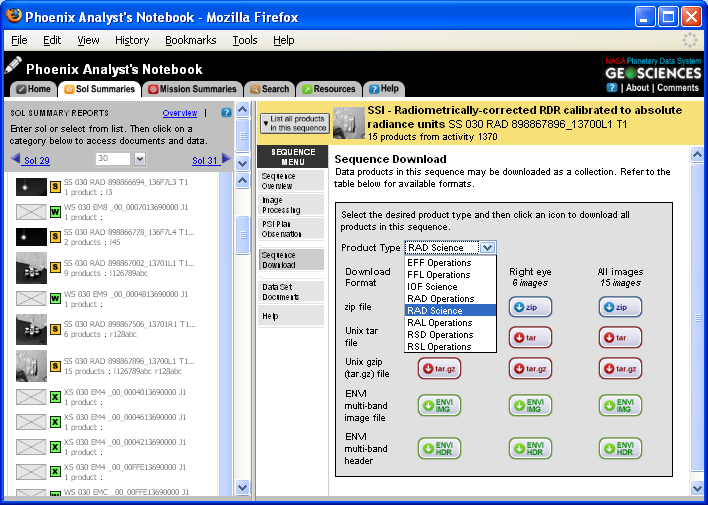
To download all data products in a sequence, select "Sequence Download" from the sequence overview page. From this page, you can select the product and file type you wish to download.
Selecting Product Type
To select the product type, click on the "Product Type" drop down menu and highlight the desired product type. After selecting a product type, proceed to selecting the download format.
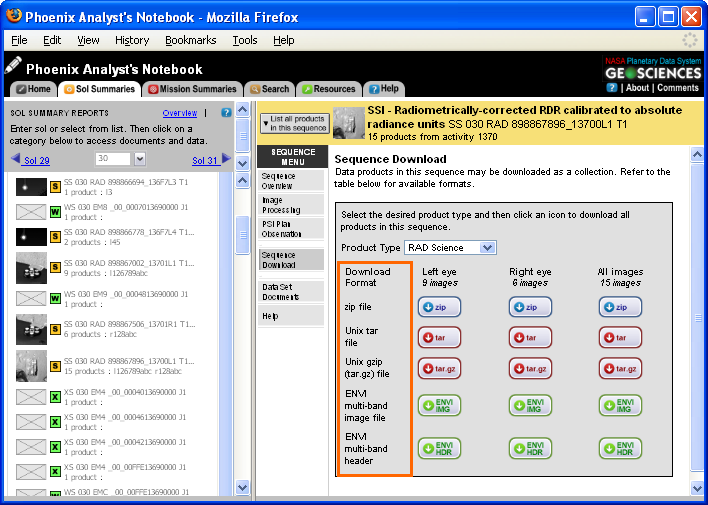
Selecting Download Format
To download all sequence data products as a zip, tar, gzip, or ENVI multi-band image, click on the download icon for the selected file type. For ENVI multi-band images, the header and image file must be downloaded separately.
|