Navigating the Data
| |
|
Navigating the Data |
Previous Next |
|
The AN is comprised of several types of screens, summarized below. Details are available for some screen types by clicking on the screen type names.
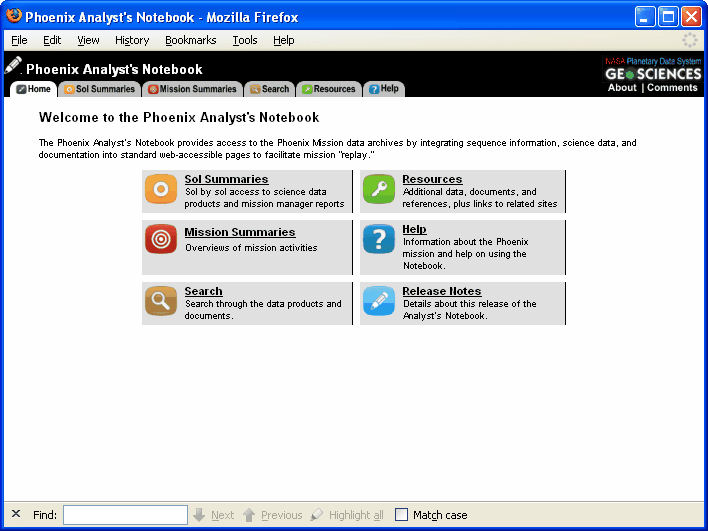
Phoenix Analyst's Notebook Home Page
This page links to the five main areas of the website Sol Summaries, Mission Summaries, Search, Resources, and Help. Information about Notebook changes or updates can be found on this page.
Sol Summaries provide a way to step through the mission with documentation, product overviews, and feature and target locations. "Sol Summaries" may be accessed from the Phoenix Home Page by clicking on the "Search the Data Products" button, or from any page of the Notebook by clicking on the "Sol Summaries" tab at the top of the page.
On the left side of the screen in the "Enter sol or select from list" dialog is a drop-down list of sols. When a particular sol is selected, a "directory" of activities for that sol, including documentation reports, products, features, and targets, are displayed for that sol.
Search the Notebook data and documentation using a Data Product, Sol Document, or Data Set Document Search .
Provides summaries of the activities of science teams throughout the mission.
Resources
Provides links to helpful webpages and documents for understanding the Phoenix Mission, data, and documentation.
Help
Links to help using the notebook and understanding the data.
|